Website Optimization with LLMs
LLM (Large Language Model) are artificial intelligence systems which can optimize your website for search engines. Large language models read and analyze website content and use the collected information to answer user questions, generate recommendations, and summarize data on companies and products.
To make an LLM analyze your website the way you want (for example, use specific pages and ignore certain sections), it needs instructions in the form of an llms.txt file.
llms.txt is a special file, that instructs large language models (ChatGPT, Claude, Gemini, and others) on how to use your website’s content. For an online store or a marketplace, llms.txt allows you to:
- specify which sections of the store are priority sources of information for analysis;
- exclude service and technical pages from analysis (customer account, filters, cart, etc.);
- reduce the risk of incorrect interpretation of prices and promotions (you can hide temporary promotions or pages with outdated payment terms);
- provide users with accurate product information (for example, by using descriptions from current product pages).
Difference between llms.txt and robots.txt
Both llms.txt and robots.txt control access to website content for search systems. However, while robots.txt simply restricts access to some pages and allows access to others, llms.txt explains what information is available on the website and which pages contain the most important and up-to-date content.
Moreover, robots.txt does not include your website’s content, whereas llms.txt may contain a structured overview of your site with all the necessary links.
Learn more about robots.txt and how it works in CS-Cart in the corresponding article.
Creating the llms.txt File
To start editing llms.txt, go to the Website tab in the Admin Panel and open the SEO section.
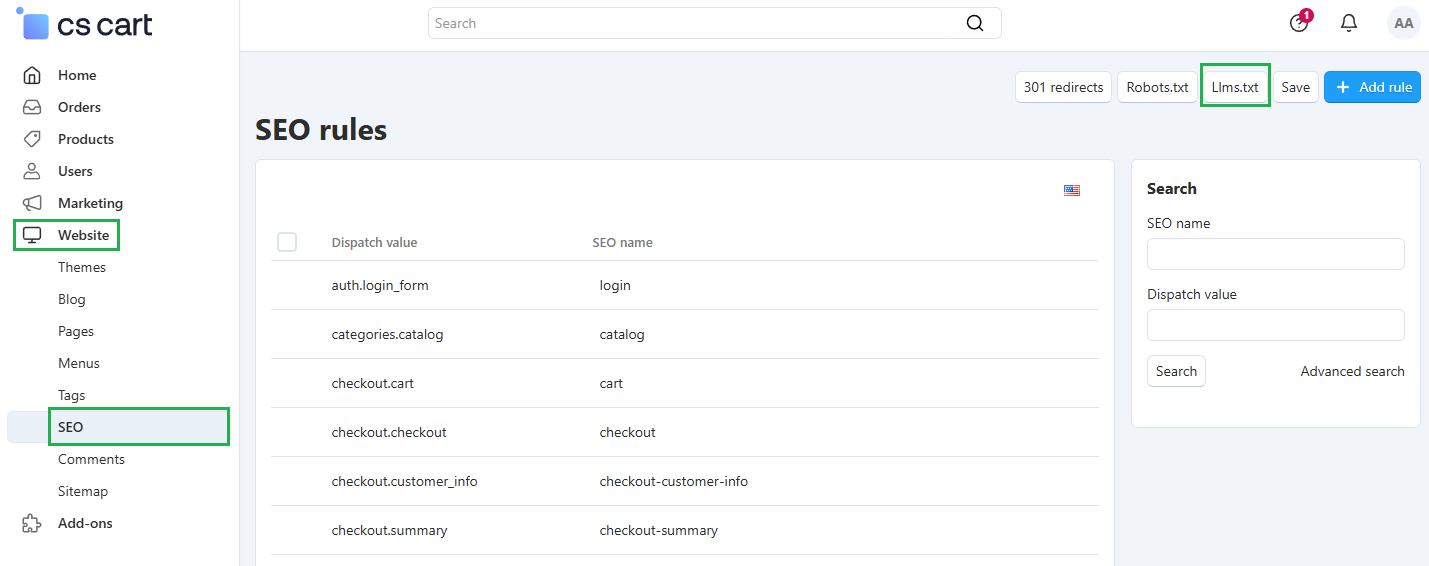
In the upper-right corner click the Llms.txt button. A window will open where you can start filling in the file:
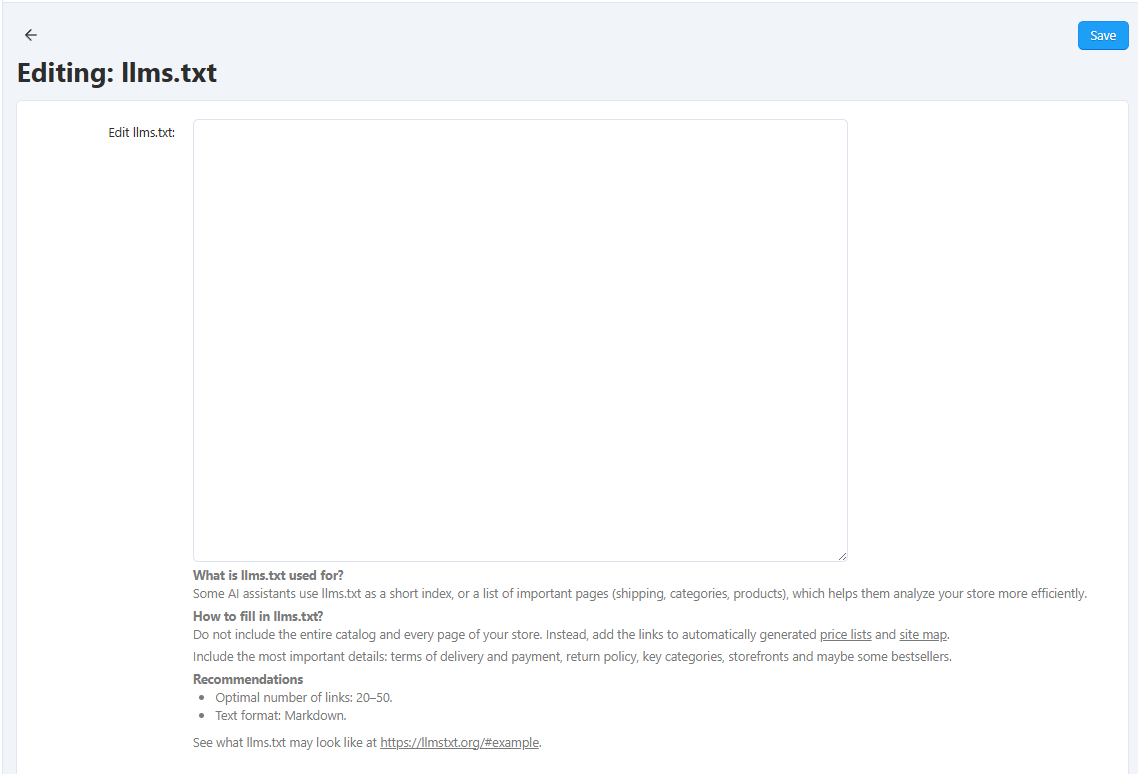
The file is created in Markdown format. The file content should include the most important information on your website, which is normally the following:
- products, their categories, and features;
- storefronts and possibly, some bestsellers of your store;
- delivery and payment methods;
- price lists and a sitemap, which can be generated automatically;
20—50 links are enough for effective use of the file. You can find examples of similar files on llmstxt.org.
Below is an example of an llms.txt file for an online store based on CS-Cart:
# My CS-Cart Store
> An electronics and accessories store with a wide selection, fast delivery, and detailed product descriptions. Here you can find smartphones, laptops, home appliances, and accessories, as well as up-to-date prices and purchase terms.

## Main Pages
- [Home](https://example.com)
- [Product Categories](https://example.com/categories/)
- [Popular Products](https://example.com/products/)
- [About Us](https://example.com/about-us)
- [Contacts](https://example.com/contacts)

## Policies and Information
- [Delivery and Payment](https://example.com/delivery)
- [Warranty and Returns](https://example.com/warranty)
- [FAQ](https://example.com/faq)
- [Privacy Policy](https://example.com/privacy-policy)

## Product Pages and Catalog
- [Product Categories](https://example.com/categories/)
- [Product Pages](https://example.com/products/)

## Additional Resources (optional)
- Sitemap: https://example.com/sitemap.xml
Questions & Feedback
Have any questions that weren't answered here? Need help with solving a problem in your online store? Want to report a bug in our software? Find out how to contact us.