How To: Set up USPS in CS-Cart
In the Administration panel, go to Settings → Shipping methods.
Create a shipping method using the + Add shipping method button in the upper right part of the page, or choose an existing one by clicking on its name.
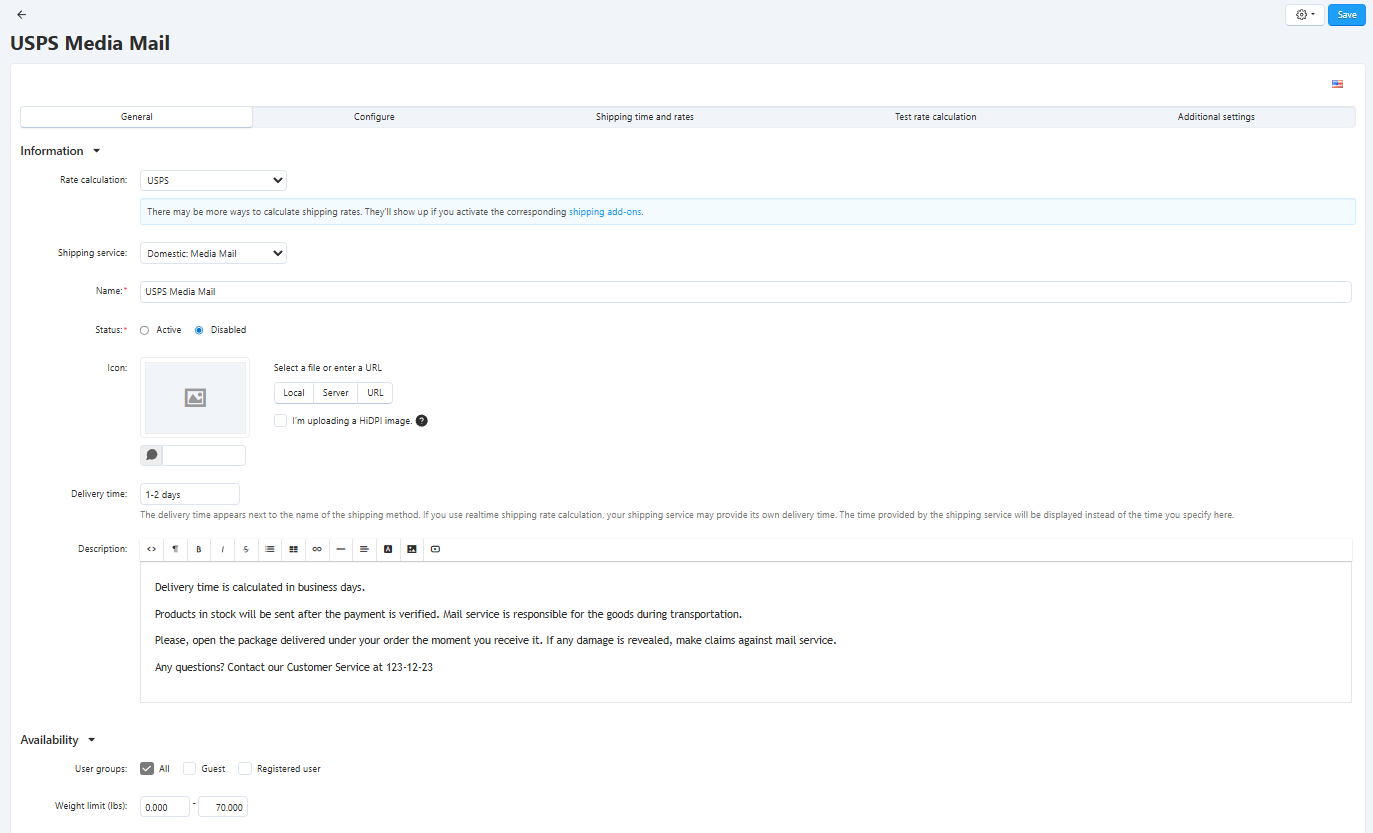
In the Rate calculation field, select USPS from the drop-down menu.
Note
Starting from version 4.19.1, CS-Cart uses a new USPS integration. The previous integration is called USPS (Deprecated) in this list; it might stop working in January 2026.
In the Shipping service field, select the appropriate service. USPS offers two types of shipments: domestic and international:
- Domestic shipments are made within the United States and its territories;
- International shipments are made from the United States to another country.
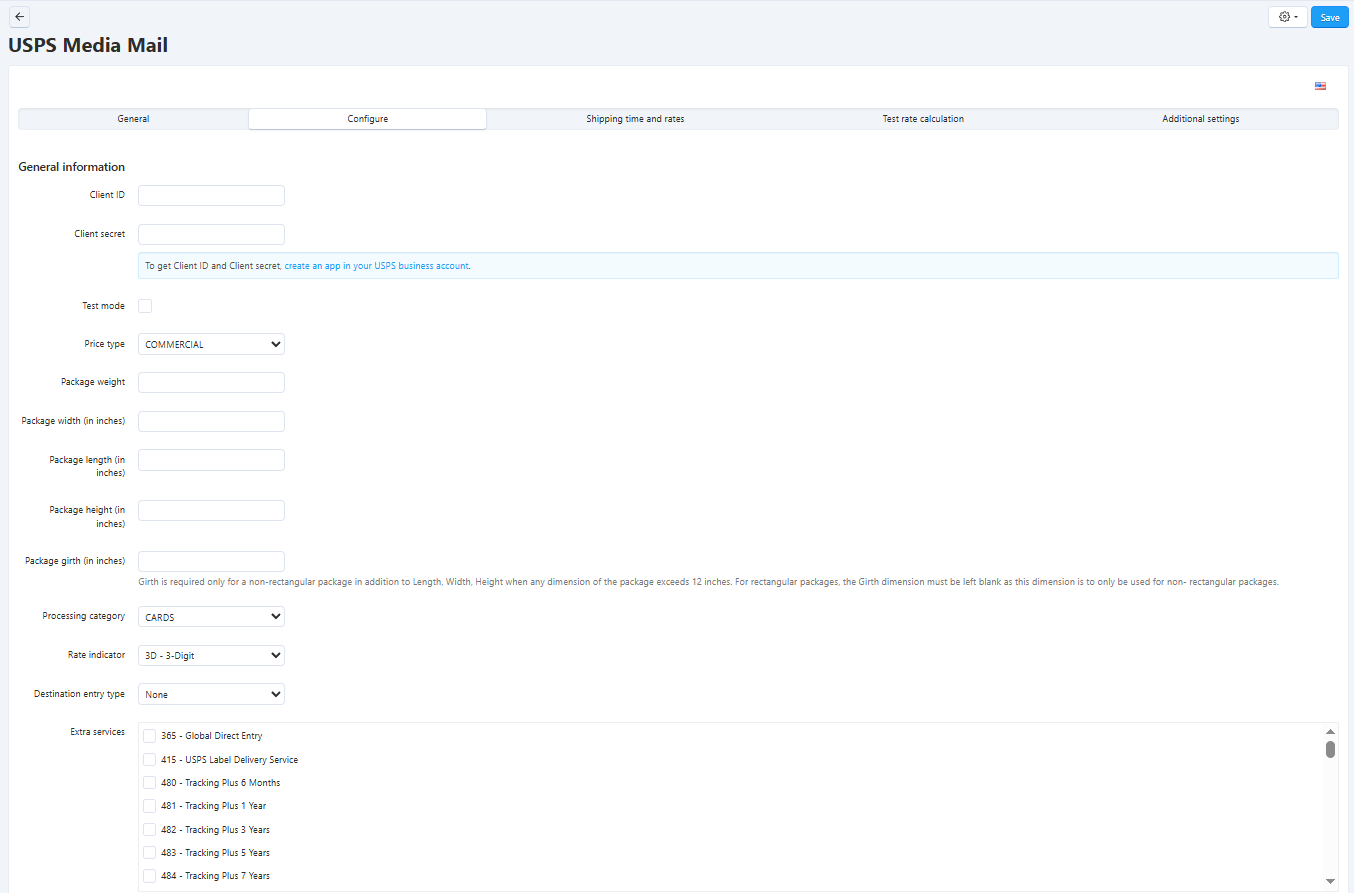
In the Configure tab, specify your Client ID and Client secret. To obtain this data, visit USPS Developer Portal to create an app in your USPS business account.
Note
If you are still using USPS (Deprecated), and get the Authorization failure. You are not authorized to connect to this server error from USPS server, it means that your USPS user ID is not confirmed yet. Call USPS (800-344-7779) to confirm your ID and activate yourself on the production servers. The shipping method will not work until you do this.
Tick Test mode if you would like to test the shipping method without actually shipping products. Only some specific requests for retrieving shipping costs work correctly when the Test mode option is enabled.
Specify the parameters of your package (weight, width, length, height, girth) in the corresponding settings. Next, define the following USPS rate calculation parameters:
- Price type defines whether USPS rates are calculated using retail or commercial pricing.
- Processing category defines the type of mail item (such as letter, flat, machinable parcel, or soft pack) based on its size and handling requirements.
- Rate indicator specifies the pricing rule used by USPS to calculate the shipping cost based on the selected service and pricing context.
- Destination Entry Type defines where and how the shipment enters the USPS delivery network, which can affect pricing and routing.
- Extra services define optional add-ons such as insurance, tracking enhancements, or signature confirmation that increase the final shipping cost.
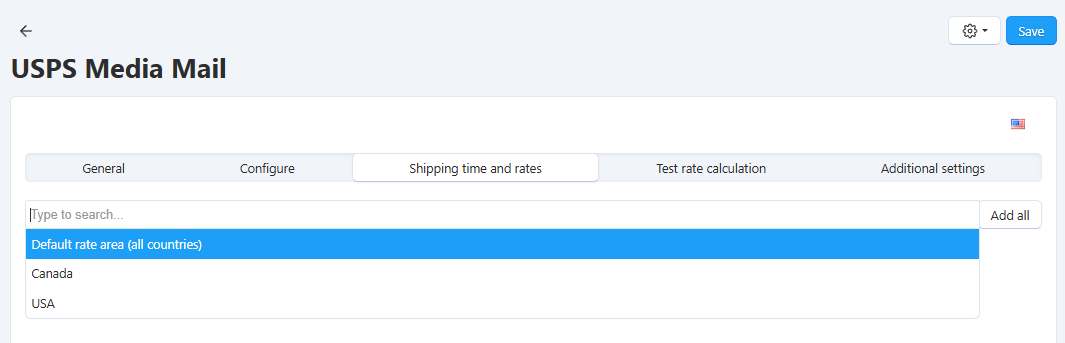
(optional) Switch to the Shipping time and rates tab and define shipping charges that will be added to those returned by USPS.
Click Save (or Create, if you’re adding a new shipping method).
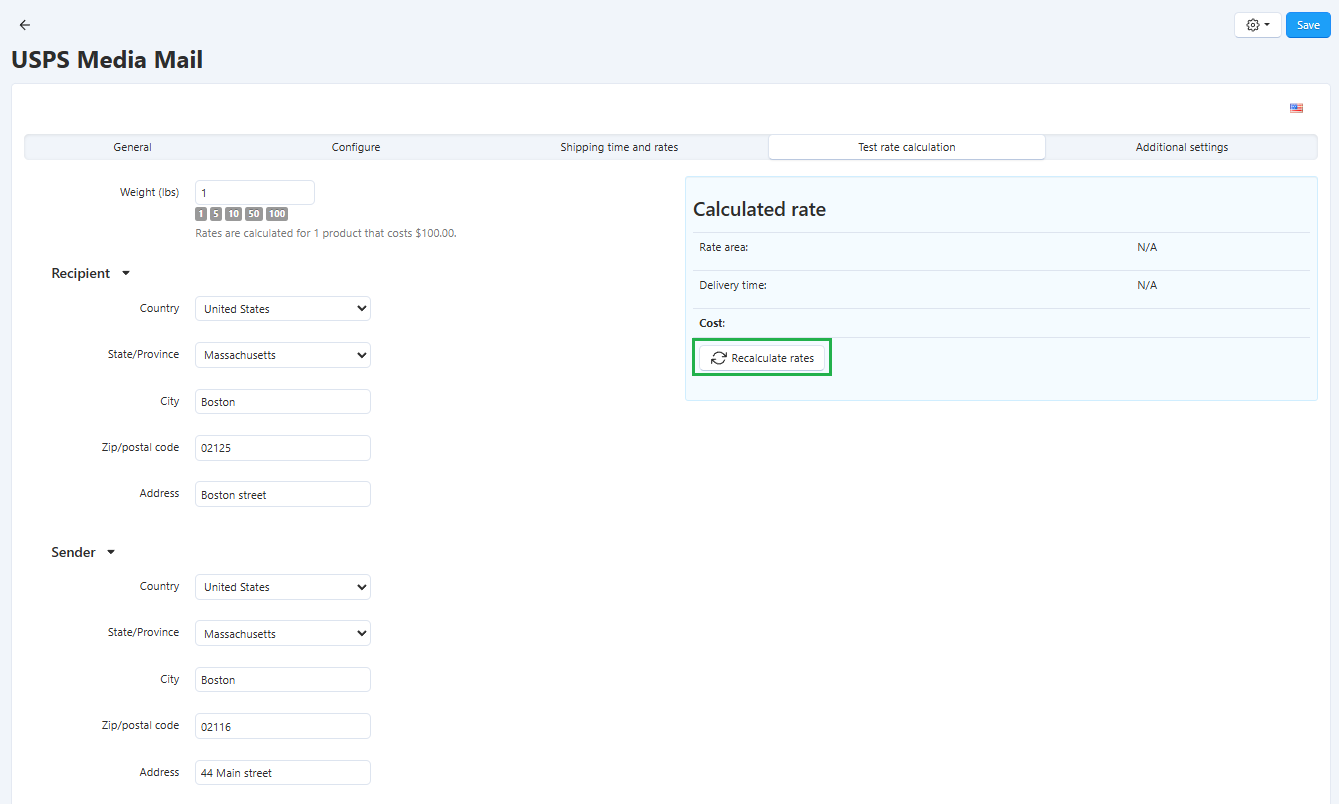
Go to the Test rate calculation tab. Click the Recalculate rates button to calculate the shipping cost. The calculation considers the weight that you specify in the form, as well as the company address and default customer address.
Learn more about other properties of the shipping method in the Shipping Method Properties section.
Questions & Feedback
Have any questions that weren't answered here? Need help with solving a problem in your online store? Want to report a bug in our software? Find out how to contact us.