How To: Change Destination of Home Link in Breadcrumbs
Breadcrumbs have the Home link, that leads to the index page of your store. To change where the Home link leads, use our free add-on.
Step 1. Installing the Add-on
Download the Home Breadcrumbs Link Direction add-on using this link. You’ll get a ZIP archive.
Note
You are also welcome to visit the add-on’s repository on GitHub.
Log in to the Admin panel of your store.
Go to Add-ons → Downloaded add-ons.
Сlick the gear icon and select Manual installation to upload the add-on.

In the pop-up window click Local, and choose the ZIP archive you downloaded earlier.
Click Upload & install.
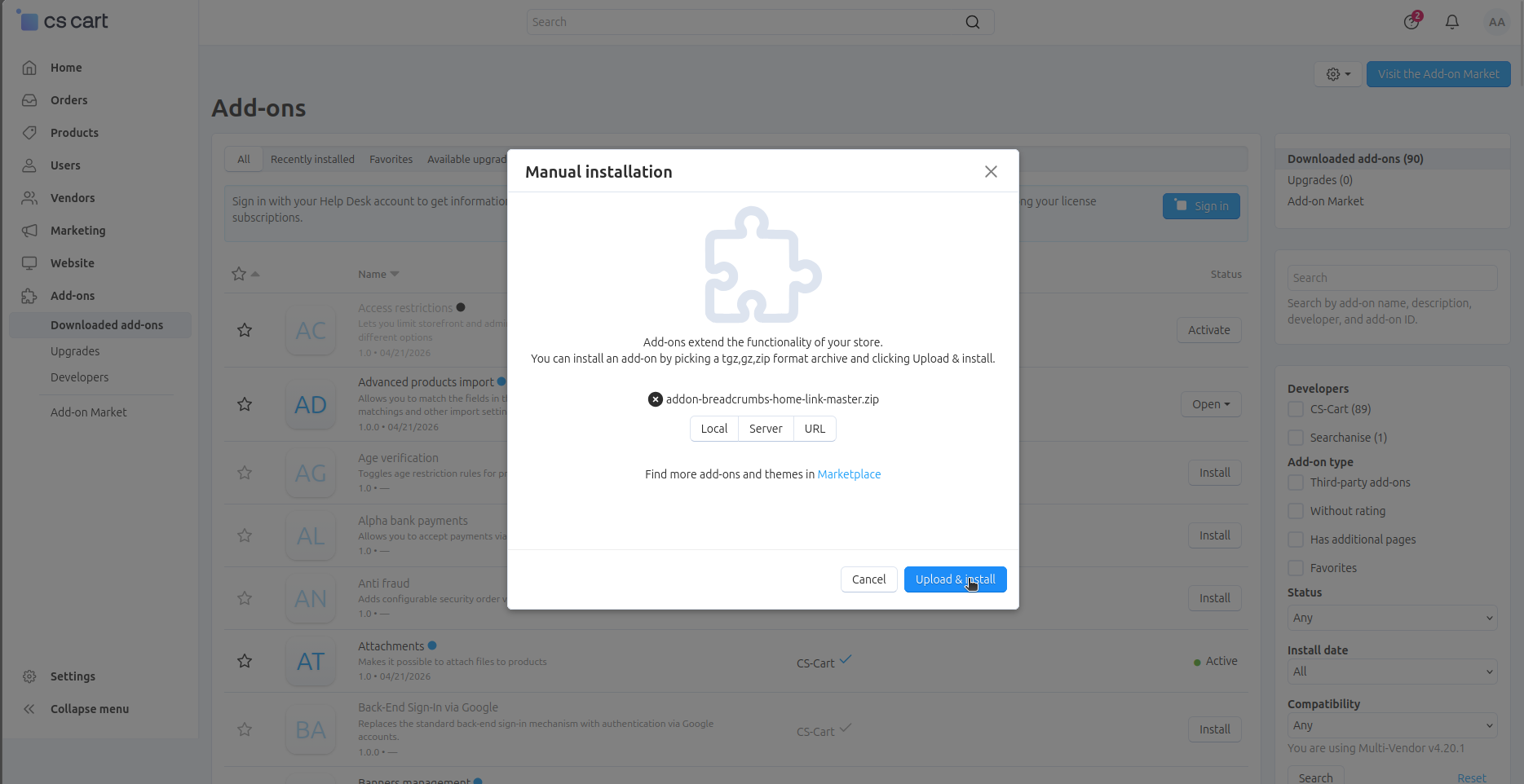
Step 2. Choose Home Link Destination
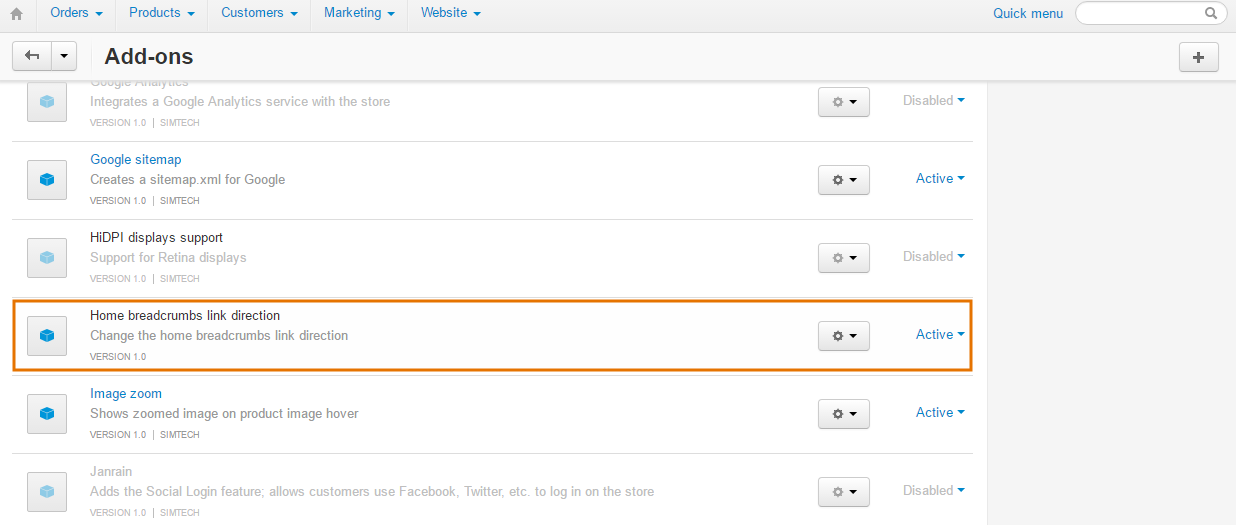
Find Home Breadcrumbs Link Direction on the list of add-ons and click the add-on’s name.
There is only one setting: The home link of your store. Replace http://www.domain.com with the desired destination for the home link, for example, http://example.com/mypage.
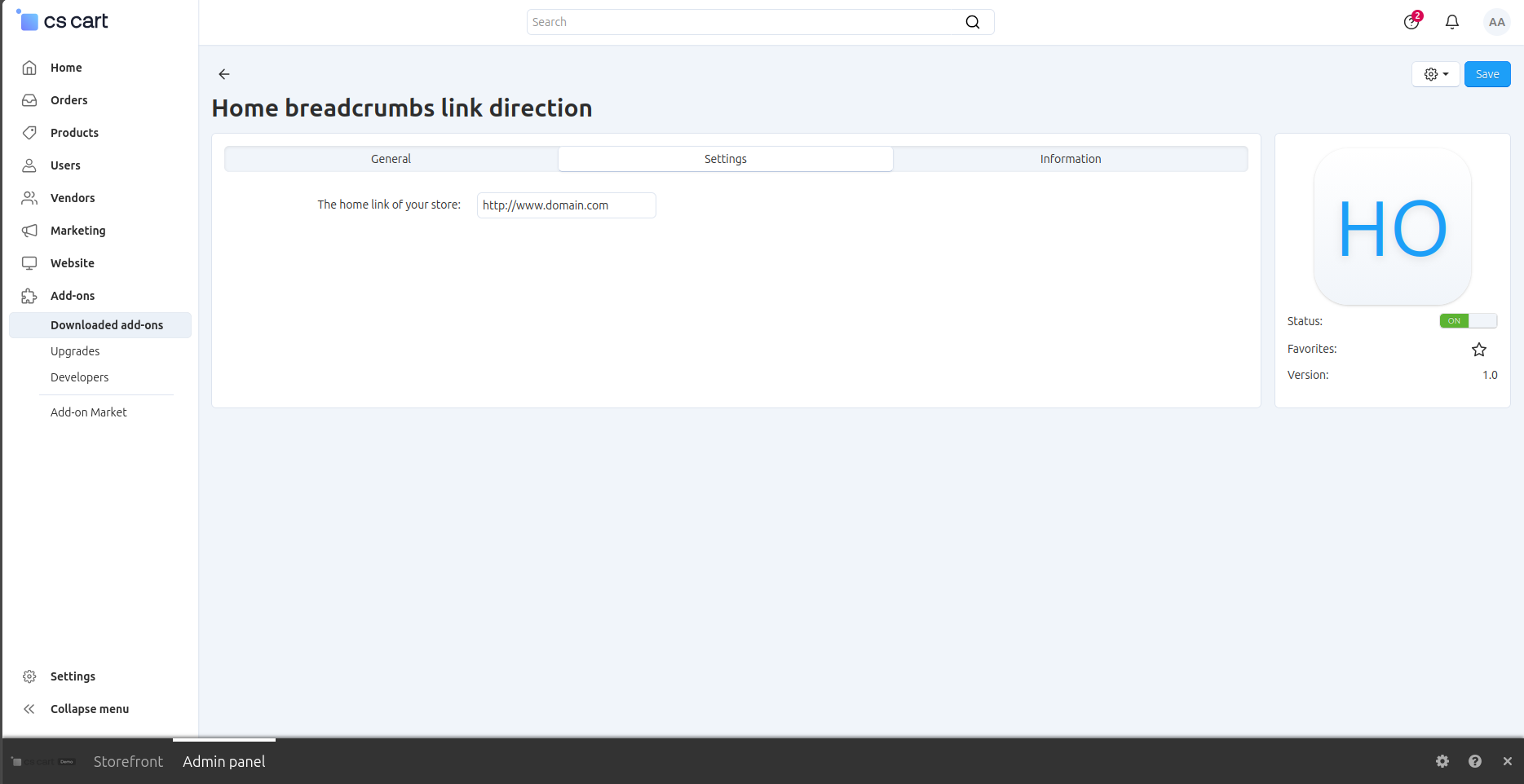
Click Save. Now Home will lead to http://example.com/mypage.
Questions & Feedback
Have any questions that weren't answered here? Need help with solving a problem in your online store? Want to report a bug in our software? Find out how to contact us.