How To: Add Videos to Product Detailed Page
Note
This functionality is available starting with Multi-Vendor Plus or Store Builder Ultimate.
You may want to show a product video to customers. This can make your site look more professional and improve the customer experience. In CS-Cart you can add a video to the image gallery of your product page. To do this:
Step 1: Add a Video Link to a Product
Get a link to the video that you have uploaded to one of the supported video hosting services: Vimeo or YouTube.
In the admin panel of your store, go to Products → Products and open an existing product or create a new one.
In the Information section find the Videos field, fill it in with the link to the video and choose a corresponding video hosting. After you select the hosting, the system will validate the video link. If the link is valid, you will see the video in the Preview section:
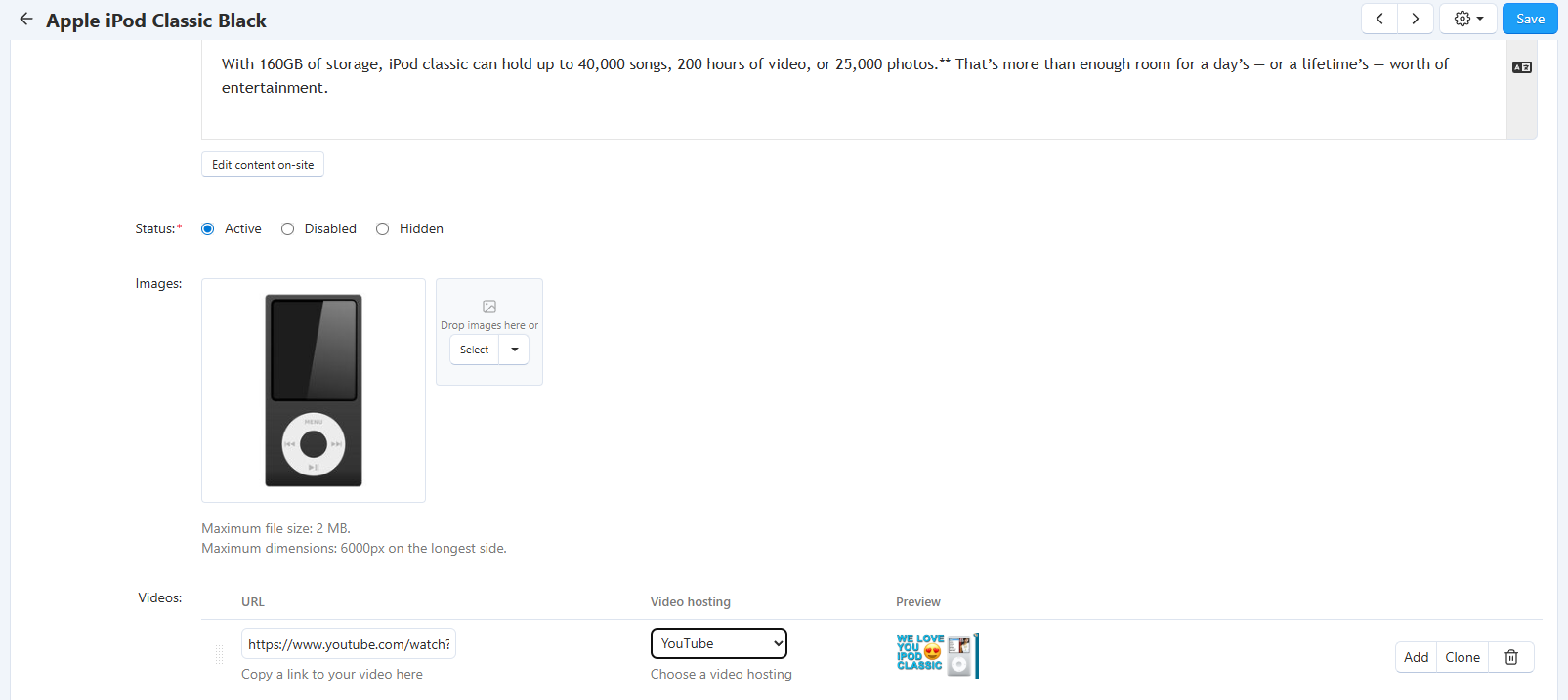
Save the changes. The video will now appear on the product page.
Step 2: Set Up Video Display on the Storefront
By default, the video is shown after images in the gallery on the product page. To play it, customers need to click on the Play button.
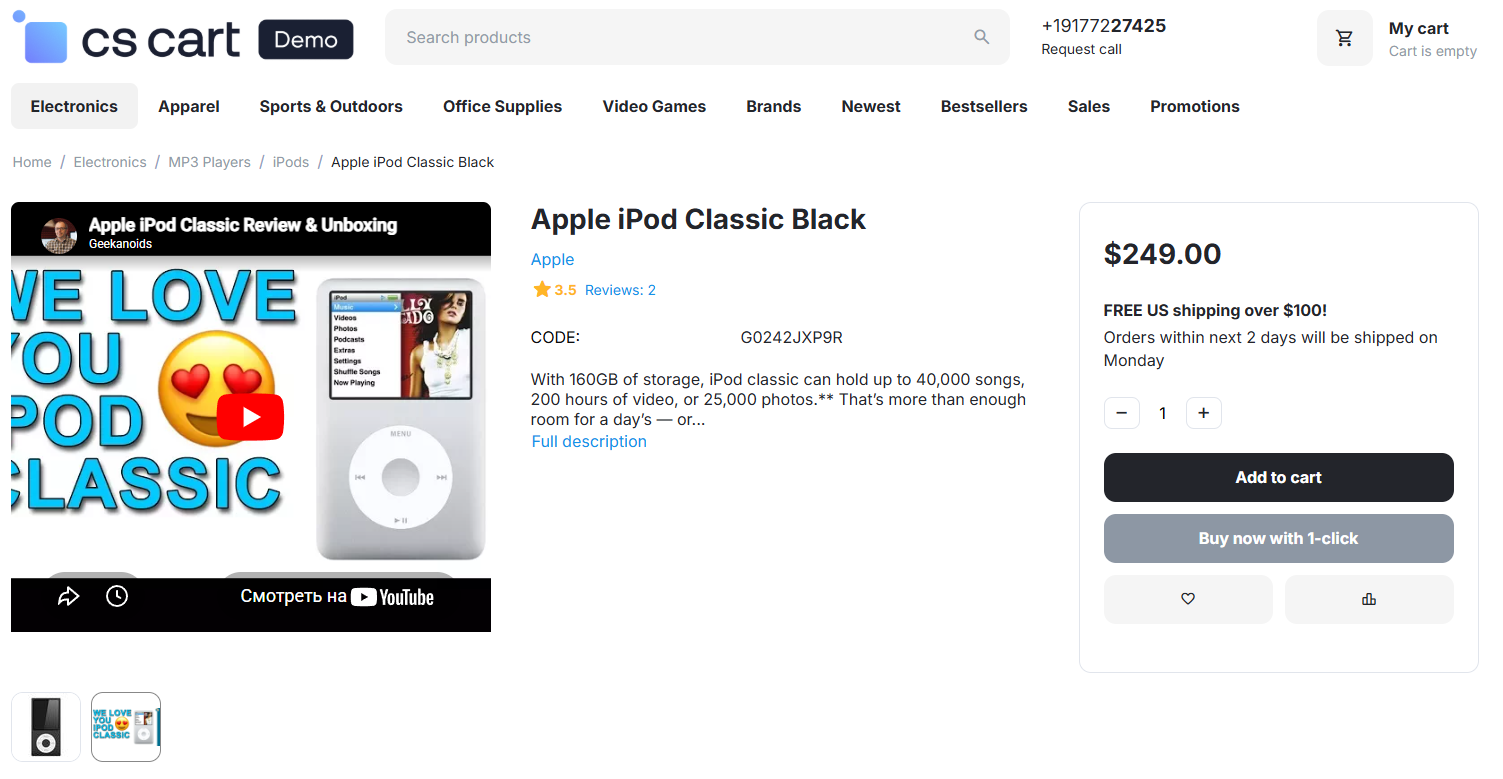
You can change this behavior in the settings. In the admin panel, go to Settings → General → Appearance → Customer settings and find the following settings:
- Show videos before images – if you enable this setting, the video will be placed before images of the product in the gallery on the storefront.
- Autoplay videos – if you enable this setting, videos will play automatically.
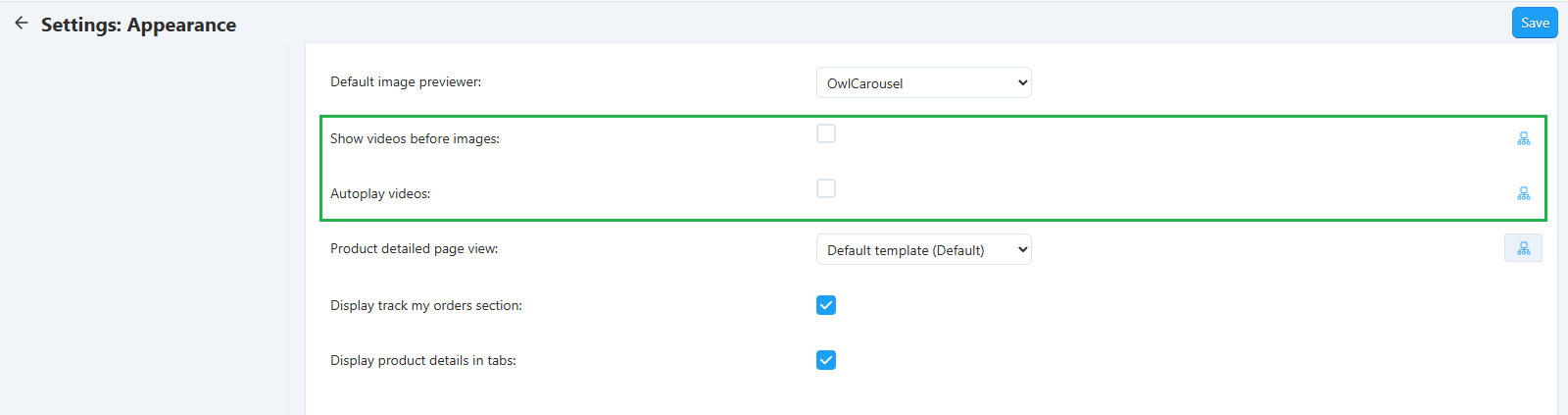
These settings can be set either globally for all products or individually for each product.
Questions & Feedback
Have any questions that weren't answered here? Need help with solving a problem in your online store? Want to report a bug in our software? Find out how to contact us.