Payments by Country
Important
This add-on is available starting with Multi-Vendor Ultimate or Store Builder Ultimate.
The “Payments by country” feature allows you to customize the available payment methods for different countries. In case you sell in several countries, you can set up different payment methods for them. For example, you can display PayPal for the US and Stripe payments for Europe.
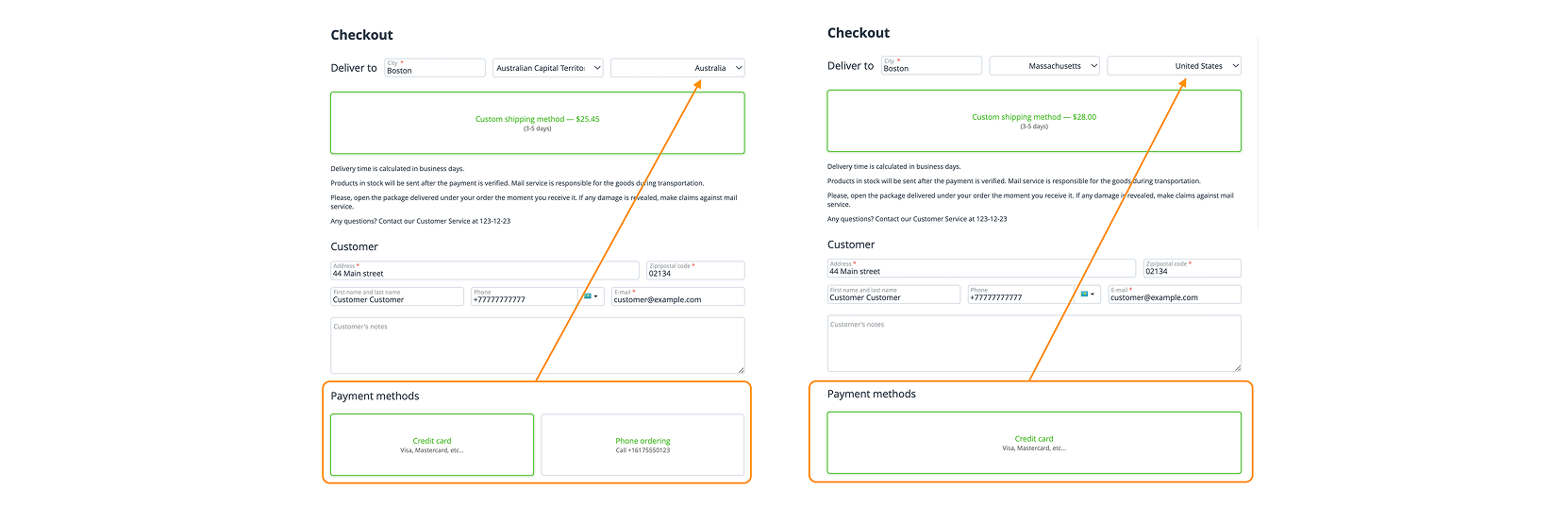
How to distribute payment systems by countries
To set up different payment systems for different countries you will need to:
- Make sure that you have installed and activated the add-on Payments by country in Add-ons → Downloaded add-ons.
- After that go to Settings → Payment methods and create a new payment method or edit the existing one.
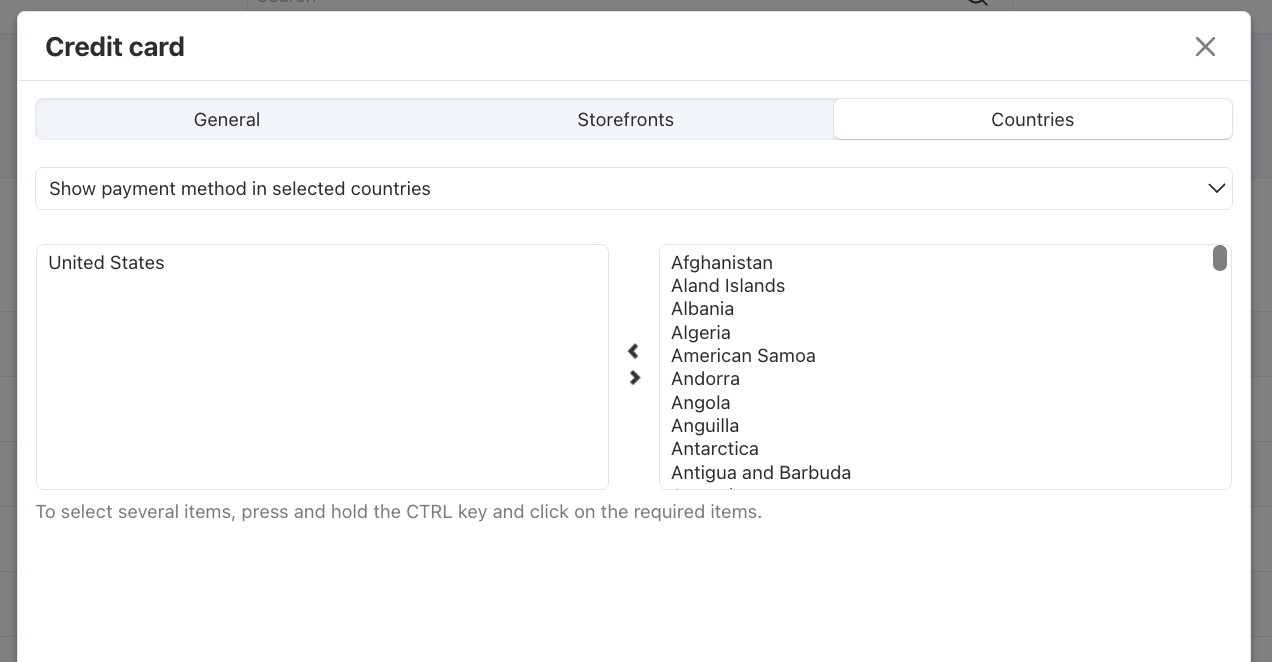
- In the payment method setting window you will see the new tab appeared - Countries. Here you can choose one of the two options:
- Show payment method in selected countries – if you choose this variant, customers from the selected countries will see the payment method, and it will be unavailable for the rest of the regions.
- Hide payment method in selected countries – if you choose this variant, the payment system will be available for all countries except for the selected ones.
- After you choose the needed option above you can add countries from the list. To select several items, press and hold the CTRL key and click on the required items.
- Save the settings. Now users will see the available payment options when they are on the checkout page.
Questions & Feedback
Have any questions that weren't answered here? Need help with solving a problem in your online store? Want to report a bug in our software? Find out how to contact us.